
EN
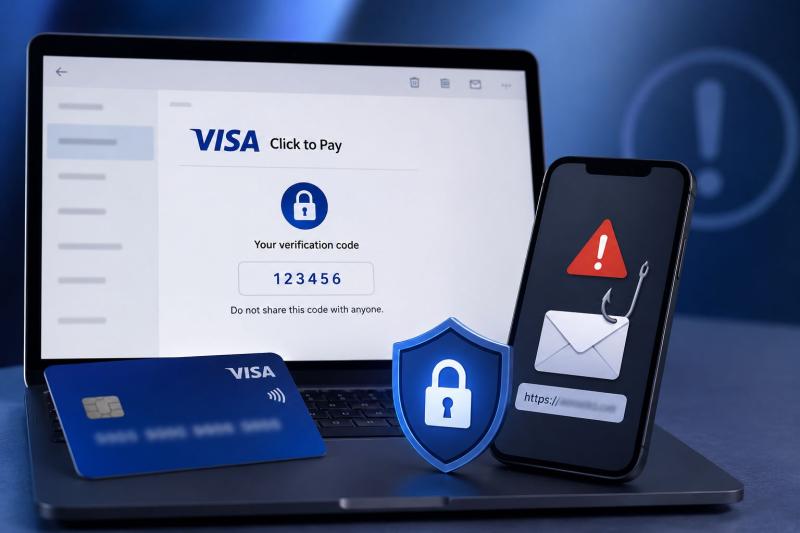
An unexpected email mentioning Visa Click to Pay Email can create confusion. Some people may wonder why they received a verification code, while others may worry after seeing a message about a payment problem or account security issue. The important thing to know is that Visa Click to Pay Emails are not always fake. Some are genuine security emails sent during online purchases, but scammers also use similar messages to trick people into revealing personal and financial information.
Understanding how these emails work and knowing the warning signs can help you avoid phishing attempts.
Visa Click to Pay is a legitimate payment service that may send verification emails when you use it for an online transaction. For example, when you enter your email address during checkout, you may receive a one-time password (OTP) to confirm that you are the person making the purchase.
If you recently started an online payment and received a verification code, the email may simply be part of the normal security process. However, if you receive a Visa Click to Pay OTP email when you are not buying anything online, you should be careful. Unexpected codes can sometimes be connected to scam attempts.
Scammers take advantage of the trust people have in well known brands like Visa. They create messages that look like official notifications and use different tricks to make users panic or take quick action.
One common method is sending fake security alerts. The email may claim that your Click to Pay account has been locked, suspended, or compromised. It may ask you to click a link to verify your identity, update your account details, or restore access. The link usually leads to a fake website designed to collect your personal information and card details.
Another trick involves real OTP emails. In this method, scammers may enter your email address on a merchant website to trigger a genuine Visa Click to Pay verification code. After that, they may contact you through a separate fake email, phone call, or message pretending to be from Visa, your bank, or a payment service. They then try to convince you to share the OTP.
For example, you may receive a verification code that you did not request. Shortly after, someone may contact you and claim there is a problem with your account. They may say they need the code to cancel a transaction or secure your account. This is a warning sign because verification codes should never be shared with anyone.
Scammers also send fake payment and refund notifications. These emails may claim that you have a failed payment, pending refund, or urgent transaction issue. They often include links to fake websites that look similar to official pages and are designed to collect card information.
There are several signs that can help you recognize a suspicious message which include:
Check the Email Address Carefully:
Legitimate Visa Click to Pay OTP emails may come from: no-reply@email.clicktopay.visa.com
Be cautious if the message comes from a random email address, a free email service like Gmail, or a domain name that looks slightly different from the official Visa website. Scammers often create similar looking addresses to appear trustworthy.
Look for Generic Greetings:
Many fake emails do not use your name and start with greetings like "Dear Customer". While this alone does not confirm a scam, it can be a warning sign when combined with other suspicious details.
Be Careful With Urgent Language:
Fraudulent emails often try to create fear or pressure. They may use messages such as “immediate action required” or warn that your account will be deleted unless you respond quickly. This type of language is designed to stop you from taking time to verify the message.
Watch for Requests for Private Information:
Visa will not ask you to provide sensitive card details through email. Be suspicious of any message requesting your full card number, CVV, PIN, passwords, or other private information.
If you receive a Visa Click to Pay email that you were not expecting, avoid clicking any links or opening attachments. Do not reply to the email and do not share any OTP or verification code.
If you want to check whether the message is genuine, do not use the links provided in the email. Instead, visit the official Visa Click to Pay service directly or contact your bank using the phone number printed on the back of your card.
You can report suspicious emails pretending to be from Visa by forwarding them to: phishing@visa.com
If you already shared your personal details, card information, or verification code, contact your bank as soon as possible. Your bank can help you take steps to protect your account.
Receiving a Visa Click to Pay email does not always mean there is a problem. Some messages are legitimate and are sent as part of the normal verification process when you complete an online payment. The danger comes when scammers copy this process and use fake alerts, social engineering techniques, and directing users to fake websites to collect sensitive information.
Always be cautious with unexpected emails, keep your OTP codes private, and avoid clicking links in messages that try to rush you into taking immediate action.
Disclaimer: The information in this article is provided for educational and awareness purposes. Company names, phone numbers, sender names, and other details referenced may have been impersonated, spoofed, or otherwise misused by scammers. Their appearance in this article does not necessarily identify the legitimate company, owner of a phone number or account as being involved in fraudulent activity.
Author Information:
This article has been written by a Scam Fighter Contributor, De-Reviews.com Team. If you believe the article above contains inaccuracies or needs to include relevant information, please contact ScamAdviser.com using this form.
De-Reviews.com Team is a group of scam researchers, editors, and online safety advocates dedicated to exposing online fraud and helping consumers stay safe online. The team has been investigating scams, fraudulent websites, phishing campaigns, and other online threats since 2014. Read the Full Author Profile.
