
EN
The Canvas data breach 2026 may be over, but is your child’s data really safe? Hackers linked to ShinyHunters allegedly stole 3.65TB of data tied to 275 million student and teacher records across nearly 9,000 schools worldwide, even hijacking school login portals during finals week. While Instructure says the stolen files were “deleted,” cybersecurity experts warn the exposed data could already be fueling a new wave of phishing scams, identity theft, and convincing fake school emails targeting families right now.
In a Nutshell
The notorious cybercrime group ShinyHunters has claimed responsibility for breaching Instructure's systems. This isn’t a localized school hack; it is a global crisis showcasing a dangerous trend experts call "platform concentration risk." Rather than hacking thousands of individual schools one by one, cybercriminals successfully targeted the central cloud provider they all rely on.
The Canvas breach quickly turned into one of the biggest education cyberattacks of 2026. According to Instructure’s ongoing investigations, the hackers hit a wall before reaching central financial databases, meaning standard financial information was shielded. However, what was taken poses a different kind of danger.
This is how it happened:
Many users mistakenly assume that because financial details weren't stolen, they are safe. However, the exposure of internal Canvas messages raises massive concerns regarding privacy, safety, and mental well-being.
Medical accommodation requests, discussions about learning disabilities, disciplinary actions, and private counseling or advisor conversations sent through Canvas messaging are now potentially in the hands of extortionists and scammers. This highly specific, personal context provides scammers with the exact blueprint they need to launch terrifyingly convincing follow-up attacks.
Data breaches rarely end with the initial hack. Cybercriminals routinely package these stolen lists of names, student IDs, and message logs and sell them to specialized phishing networks.
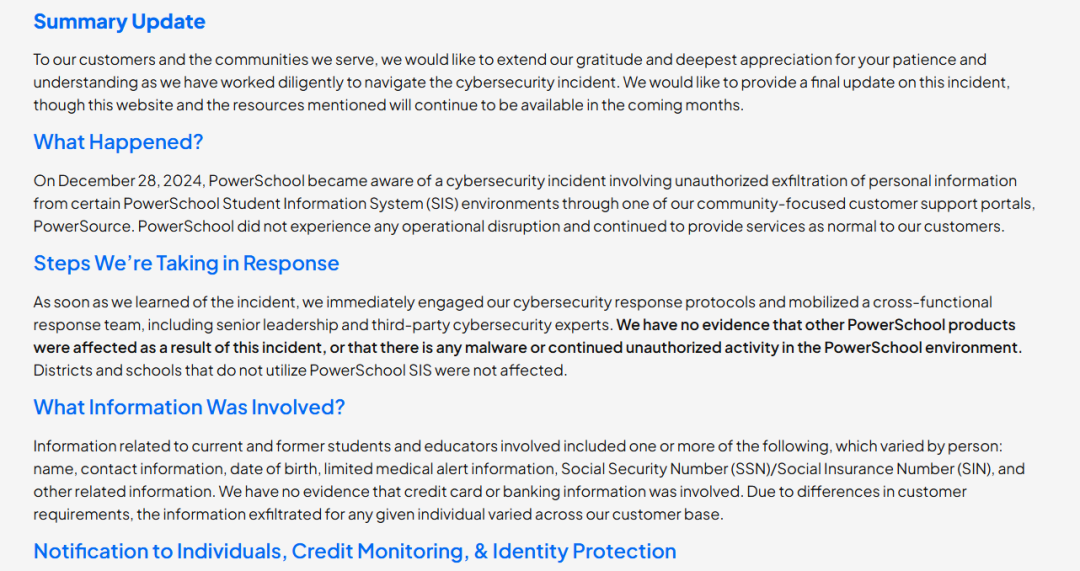
We saw this exact pattern follow the 2023 MOVEit file transfer breach and the 2024 PowerSchool breach. Within days, students and parents were flooded with hyper-targeted emails.
Because the Canvas attackers stole actual communication logs, a scammer can now email you referencing your exact teacher's name, your specific class, or a recent assignment topic. They will use this inside knowledge to shatter your natural suspicion.
Scammers will try to weaponize your anxiety about the breach to trick you into handing over the account passwords they failed to steal during the initial hack.
[From: support@canvas-security-edu.com] <-- FAKE DOMAIN! (Looks real, but isn't)
[Subject: UGENT: Your Canvas Account is Locked Due to May 2026 Breach]
"Dear Student [Your Real ID Number],
Our records show unauthorized access to your account. To prevent academic
suspension and restore your assignment portal, you must verify your identity
within 24 hours. Click Here to Restore Access: [Link to a fake login portal]"
Red Flags to Watch For:
If you are trying to figure out what to do after a major school data breach, you need to lock down your digital footprint before your inbox is flooded with malicious emails. Take these exact steps today:
Do this right now. Even if your school hasn't mandated it, proactively reset your password. Use a strong, unique passphrase (a combination of random words, numbers, and symbols) and never reuse this password on any other website.
Ensure that Multi-Factor Authentication (also known as 2FA) is turned on for both your Canvas portal and your school-affiliated email account. MFA requires a secondary code sent to an authenticator app or your mobile device to log in. This stops a hacker dead in their tracks even if they somehow trick you into giving them your password.
The Federal Trade Commission (FTC) strongly recommends freezing the credit of minors. Identity theft targeting children often goes completely unnoticed for years because minors don't apply for car loans or credit cards. Scammers love student data because they can open fraudulent accounts using a child's name, leaving the family to discover the disaster years down the line when the child applies for college financial aid. Contact the three major credit bureaus (Equifax, Experian, and TransUnion) to request a free security freeze for your child.
If you receive any email containing a link related to Canvas, Instructure, or password updates, do not click it directly. Instead, right-click and copy the link, then paste it into a free URL checker like ScamAdviser.com. ScamAdviser analyzes the domain's age, ownership anonymity, and server location to tell you instantly if the site is a newly registered scam portal or a trusted, legitimate school asset.
If you spot an email referencing specific Canvas message data or a suspicious link, do not just delete it. Forward it immediately to your school district or university’s official IT Help Desk. This allows network administrators to block the sender domain campus-wide and warn other vulnerable students.
Go to Google Alerts and create monitoring terms for your (or your child's) full name combined with their student ID number or school name. If cybercriminals eventually dump this data onto public forums or paste-sites, you will receive an automated email notification allowing you to react quickly.
Bookmark and utilize official federal resources like IdentityTheft.gov/databreach. They provide step-by-step checklists tailored to corporate data leaks that you can use to continually monitor your family's safety.
If you receive a collections call for an account you never opened, notice unauthorized modifications to your student dashboard, or suspect your child's identity has been compromised:
While families must protect themselves on the front lines, the Canvas incident proves that a systemic shift is required from the institutions themselves. Moving forward, schools and universities must implement a "Zero Trust" architecture—meaning every single internal access request is continuously verified, and data is heavily encrypted.
Furthermore, highly sensitive information relating to student well-being, mental health counseling, or disability accommodations must be isolated with restricted access privileges, rather than bundled into general messaging platforms where a single corporate vendor hack can expose it to the world.
Frequently Asked Questions
Did the Canvas hackers steal my actual login password?
No. Instructure has confirmed that encrypted passwords, financial accounts, and government-issued IDs were not compromised in the initial breach. However, hackers are currently trying to steal those passwords by using the leaked data to send fake login links.
What should I do if I accidentally clicked a link in a fake Canvas email?
Immediately disconnect your device from the internet (turn off Wi-Fi). Run a comprehensive malware and anti-virus scan. Using a different, secure device, log into your school account to change your password immediately, and alert your school's IT department to monitor your account for anomalous login locations.
How can a scammer hurt me using just my student ID number?
By pairing your student ID with your name and leaked course names, a scammer can build an incredibly convincing fake email. They use the ID number as "proof" that they are an official school entity, tricking you into dropping your guard so you will hand over more damaging information, like your Social Security number or banking credentials.
Will my school contact me directly via email about the Instructure breach?
Most schools avoid sending unsolicited emails containing direct links that require urgent password resets following a breach. Instead, legitimate institutions post official alerts and instructions directly on their verified public homepages or student portals. When in doubt, open a browser, manually type in your school's official website address, and look for their security notice board.
Adam Collins is a cybersecurity researcher at ScamAdviser who operates under a pseudonym for privacy and security. With over four years on the digital frontlines, he specialises in translating complex threats into actionable advice. His mission: exposing red flags so you can navigate the web with confidence.
Disclaimer: Some links in this article may be affiliate links, meaning we may earn a small commission if you take action—at no extra cost to you.
